
INSTRUCTIONS
HOUSE
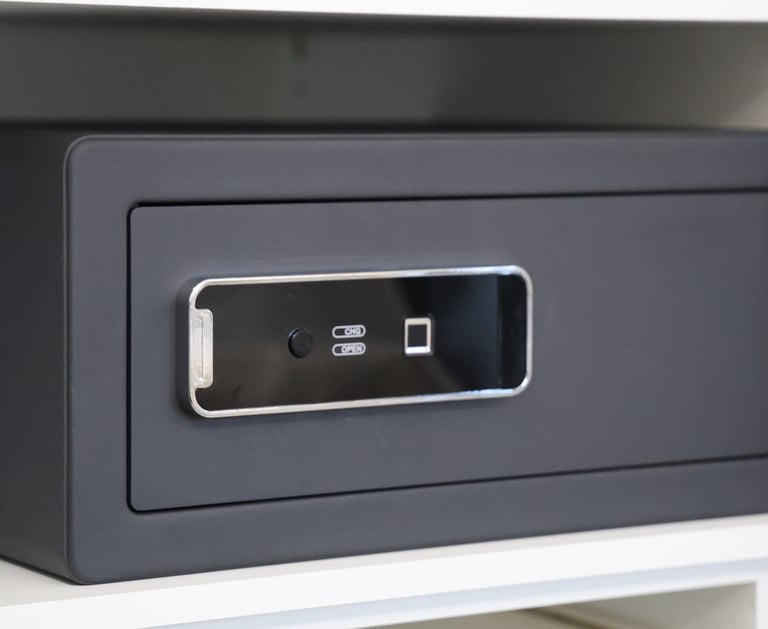
fINGERPRINT SAFE
To set your own fingerprint, press the red button inside the safe and then place and reposition your finger on the fingerprint area until it turns from red to green.
To lock the safe, press the black button.
TIP: before placing anything inside, try opening and closing it with the door open to make sure it's okay.
CAUTION: you must place your finger at the same angle otherwise it will not catch it.
Intercom
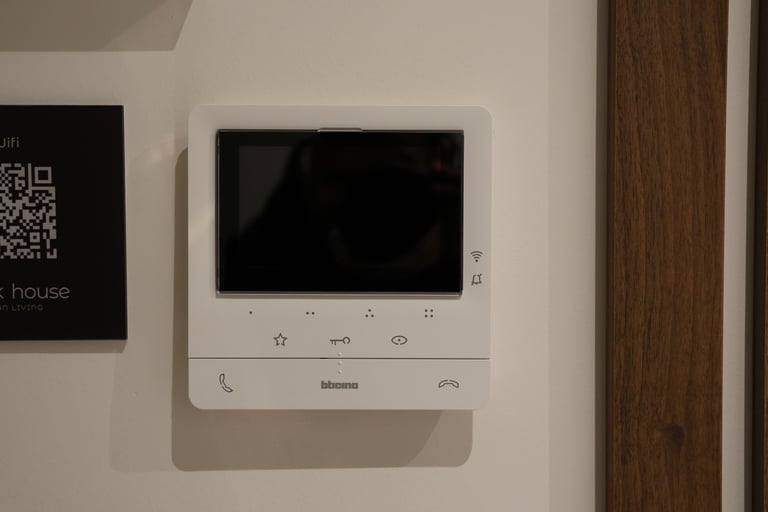
To see who is calling, press the icon with the peephole.
To open, press the icon with the key.
To speak or end the conversation, press the phone icon on the left and right, respectively.
The remaining keys are not used.
Heating and cooling system
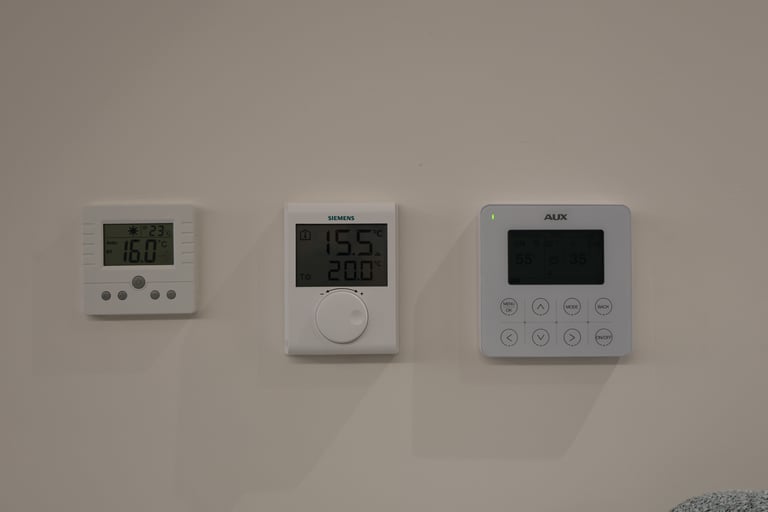
Use only the middle thermostat with the cylinder to set the desired temperature.
CAUTION: DO NOT MAKE CHANGES TO THE SYSTEM WITH THE AUX INDICATION.
Washing machine and dryer
FOLLOW THE INSTRUCTIONS ON THE DEVICE
Oven
FOLLOW THE INSTRUCTIONS ON THE DEVICE



Inspired By
© 2025. All rights reserved.
License number: 00003581654